 By Ultima Music
Play the idea while it’s fresh
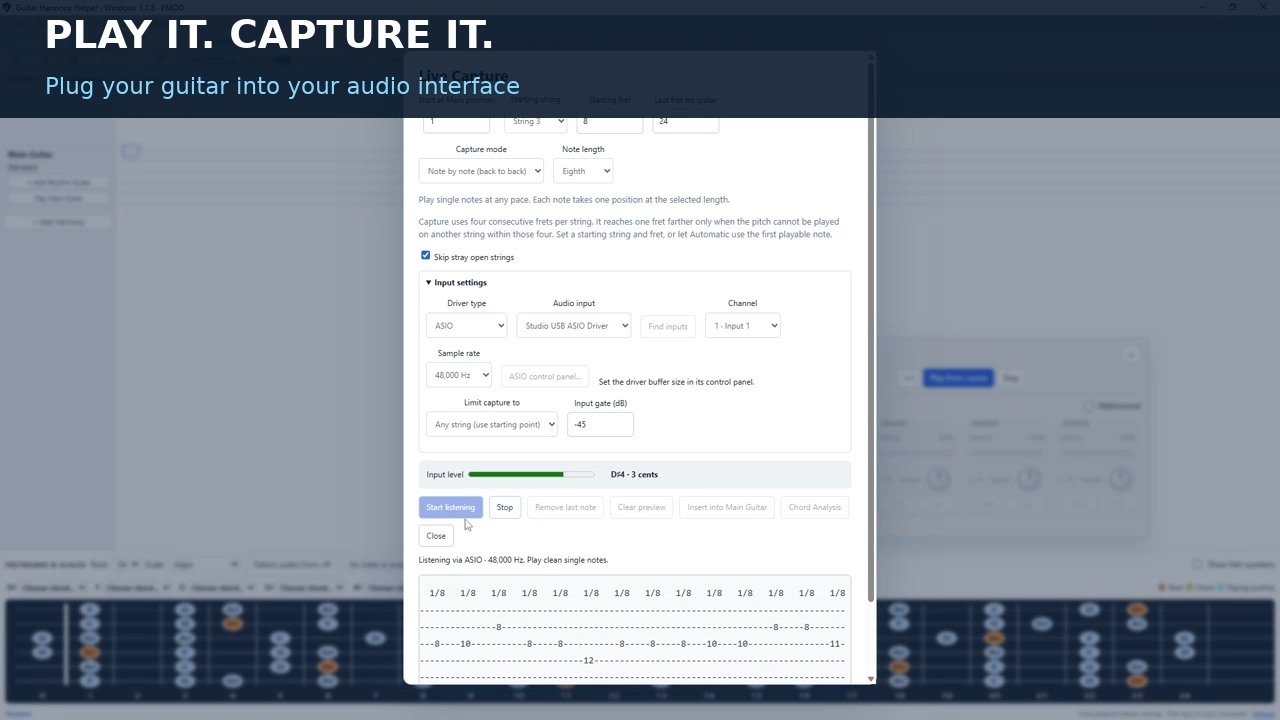
Choose your input and play a clean single-note riff. Capture it in real time or enter one note at a time at your own pace.
LIVE CAPTURE · GUITAR TAB & HARMONY EDITOR
Plug in your guitar, play the part you just came up with, and turn it into tab you can edit. Then hear a harmony against it, build a rhythm part, and save the idea for your next session.
One purchase includes the full web editor for Mac and Windows and the Windows desktop app. No subscription.
 Watch Live Capture in action1 min 20 sec
Choose your input and play a clean single-note riff. Capture it in real time or enter one note at a time at your own pace.
Pick a starting string and fret when you want to work in a specific position. Preview the take, then insert it into Main Guitar and edit the fret numbers and timing.
See which scales fit, audition a harmony above or below the lead, and build a rhythm-guitar part in its own lane.
Features
Enter a guitar lick, explore its scale, and try a harmony alongside it.
Enter fret numbers, choose note lengths, and use techniques such as hammer-ons, pull-offs, slides, and vibrato. Measure barlines appear automatically.
Add a harmony above your lead. Explore different fretboard locations, then play the lead and harmony separately or together.
Compare ranked scale matches and matching-note percentages. See scale and chord notes highlighted on the fretboard.
See the current editor
Keep the idea moving: write your lead, audition harmonies, build the chord part and shape the performance in one guitar workspace.
Hear a harmony above, another below, and a rhythm guitar underneath. Play parts on their own to find what works, then listen to the whole idea together.
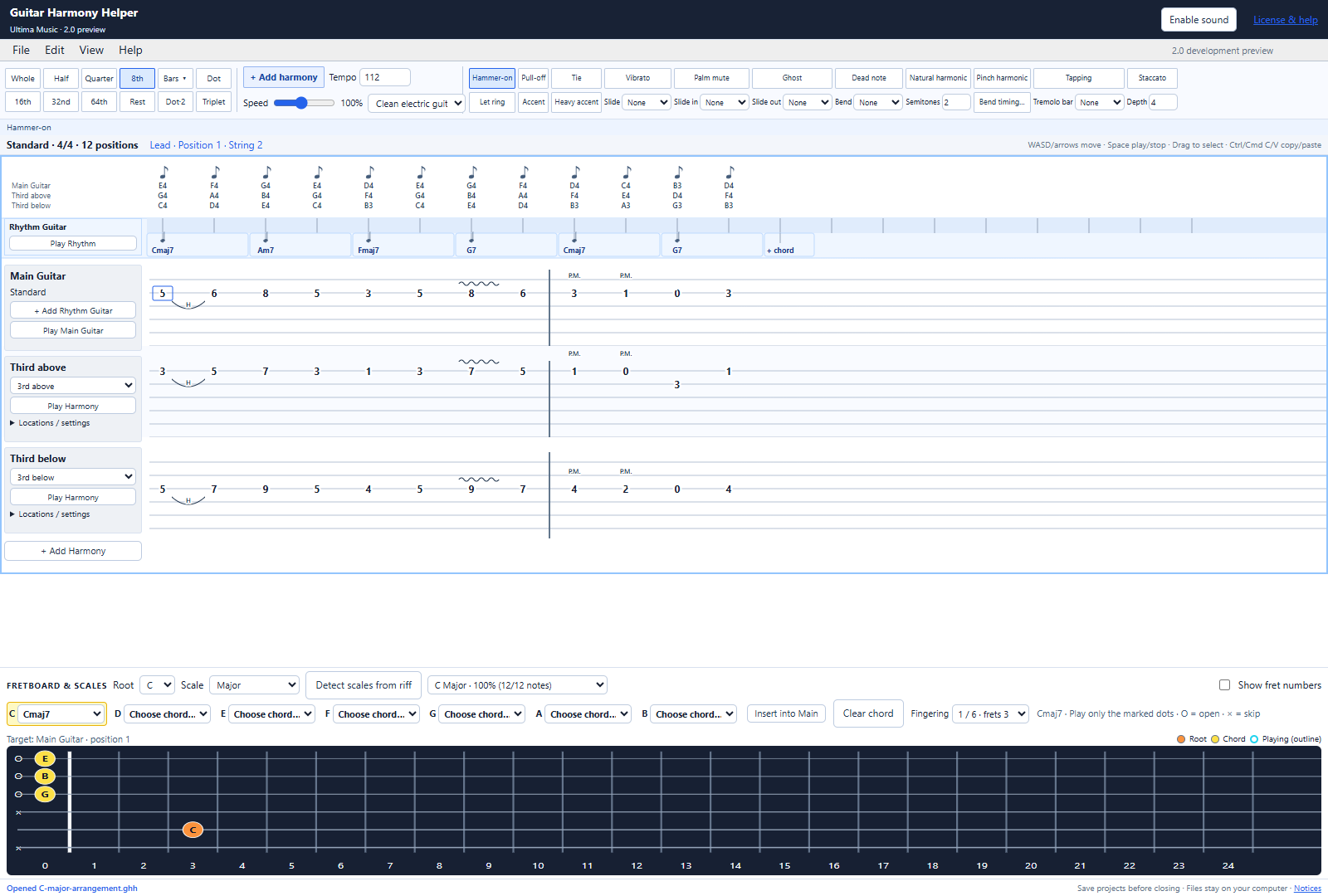
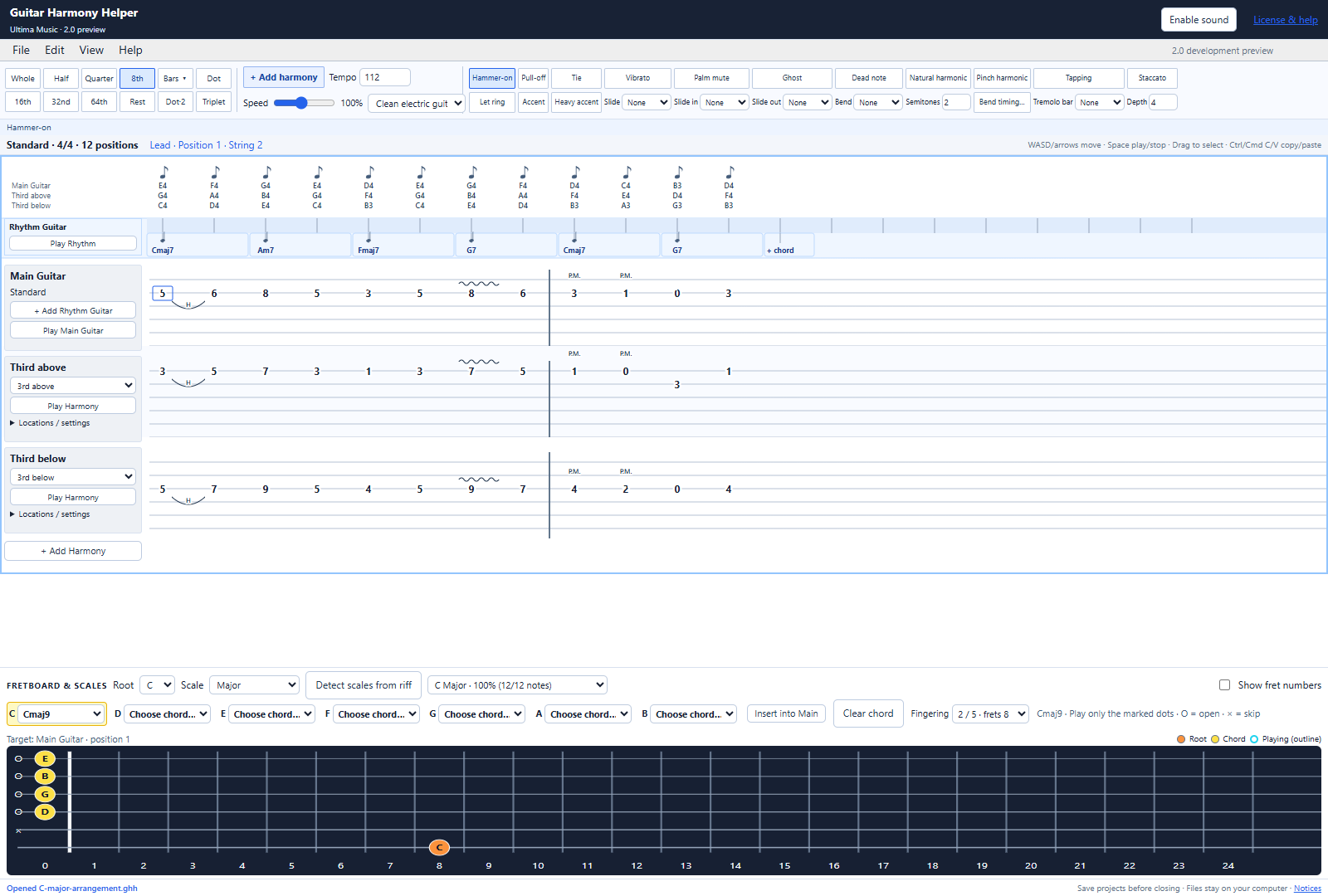
Choose a chord from a note’s dropdown and the fretboard shows one complete playable shape. Switch fingerings to explore another position, then insert the exact shape you see.
Try rich extended chords, suspended chords or a straightforward power chord. Add them to the main guitar or your independent rhythm lane.
Explore chords & rhythm guitar →Choose the note’s total duration, then set when the bend reaches its target. The target has its own rhythmic head—without a second pick or an extra beat.
Build the rest of the feel with slides, hammer-ons, pull-offs, palm mute, vibrato, swing, tuplets and repeats.
Explore timing & guitar techniques →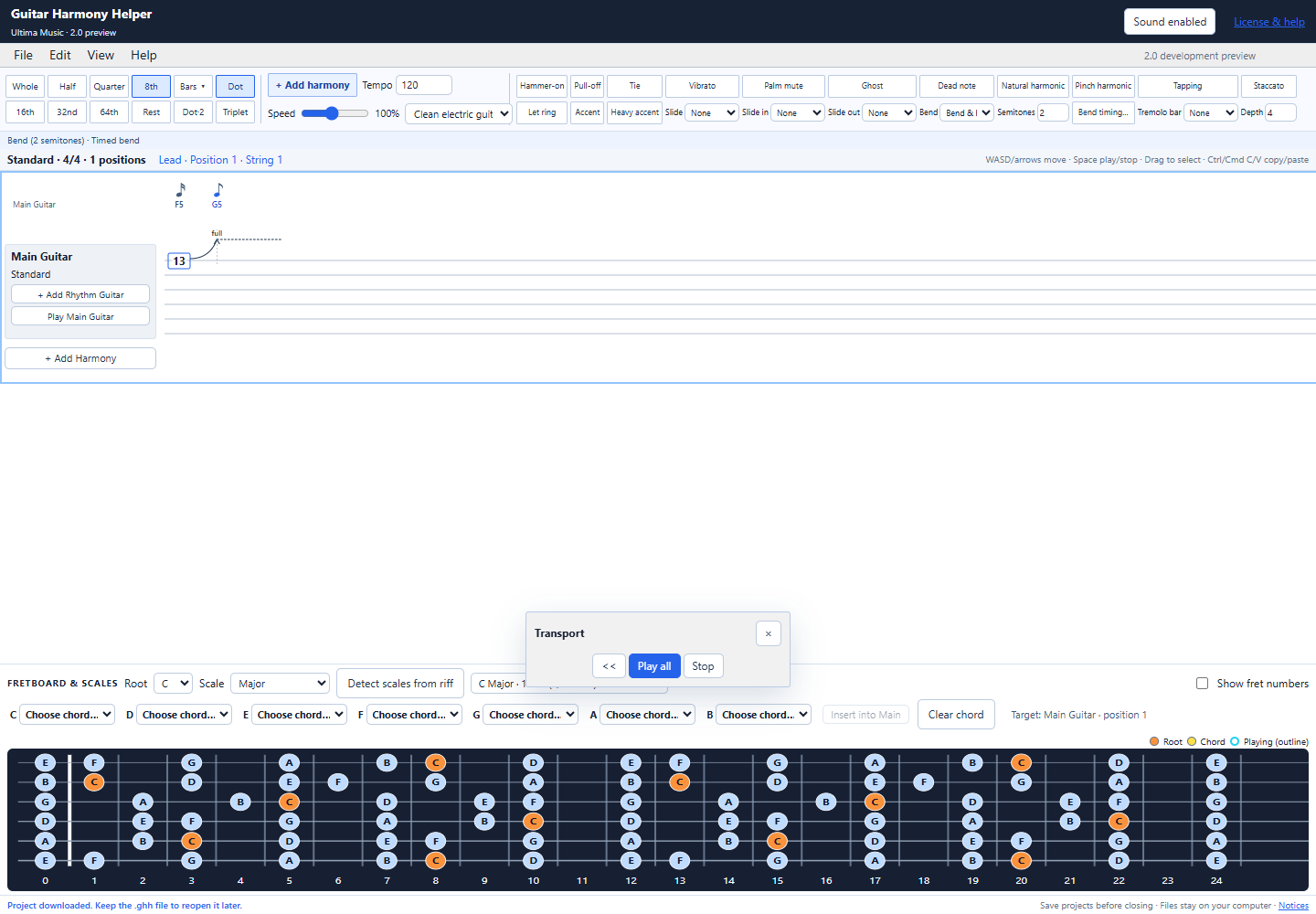
Try now
The guided demo starts with an empty bar. Enter a short riff, find scales that fit, add a harmony, then try different fretboard locations.
Need help? Follow the demo walkthrough →
The browser uses SoundFont playback. Project opening and saving are included in the paid web editor and Windows app.
Open the demo and use “Enable sound” if needed. Feature tips are available while you work.
Click a tab note and type a fret number. Use A/D to move between columns and the timing buttons to change the note length.
Press Space to play or stop. Use Play Harmony to hear the second part on its own.
Choose your next step
| Feature | Free browser demo | Paid web editor · Mac & Windows | Windows app |
|---|---|---|---|
| Live Capture and Chord Analysis | Try the tab editor with manual entry | Browser audio input | ASIO or Windows audio input |
| Project length | 1 bar in 4/4 | Longer projects | Longer projects |
| Harmony parts | 1 harmony | Multiple harmonies | Multiple harmonies |
| Scale detection and fretboard | Included | Included | Included |
| Chord shapes & rhythm guitar | Within the one-bar limit | Included | Included |
| Timed bends, techniques & timing tools | Within the one-bar limit | Included | Included |
| Open and save projects | Unavailable | Local .ghh files | Local .ghh files |
| Playback | SoundFont preview | SoundFont instruments | FMOD sampled guitar engine |
Customer stories
“I've been waiting for something like this for a long time. I can write songs in half the time.”
“Writing down a lick and listening back makes it easier to keep working on an arrangement.”
Make your first part
Looking for a second guitar part? Explore the guitar harmony finder guide.
Enter a melody, choose a scale and interval, then compare your lead and harmony together.
Try a four-note example and learn what scale-match percentages can tell you.
For Mac & Windows
On a Mac? Buy the web version and create music in your browser. Write longer projects, add multiple harmonies, and save your work. The same purchase also includes the Windows app.
One purchase includes the web editor for Mac and Windows plus the Windows app: $25 USD, paid once.
Try the free browser demo →One person, up to two computers. Permanent version 1 use, including free version 1 updates. Your installer and license are available after payment; your license is also emailed to you.
Contact & help
Follow the step-by-step support guide, check the common questions, or email us for help.
customerservice@guitarharmonyhelper.comContact email coming soon.
Click Enable sound at the top of the demo, then click Play all. Check that your browser tab and computer are not muted. See the support page for more help.
The browser demo does not open or save project files. The paid web editor for Mac and Windows saves .ghh files to your computer. The Windows app also includes project saving.
A short riff can fit more than one scale. The percentage shows how many entered notes belong to a scale, rather than certainty about the key.
The desktop application is for buyers. After payment, download your Windows installer and license from the checkout confirmation page. Your license is also delivered by email.
Guitar tab editor and harmony generator for Mac
Use the full browser editor on a Mac or Windows computer, or install the Windows desktop app. Existing paid version 1 customers can use their current license file.
Save browser projects as .ghh files on your computer. Browser playback uses a SoundFont instrument; the Windows app uses its sampled FMOD guitar engine. Cloud saving is not included.
Early-access price: $7.50 USD once through December 31, 2026 at 11:59 p.m. Pacific Time. From January 1, 2027, the regular price is $25 USD once. One purchase includes web access and the Windows app. Review the final price at checkout.