 By Ultima Music
A familiar tab editor
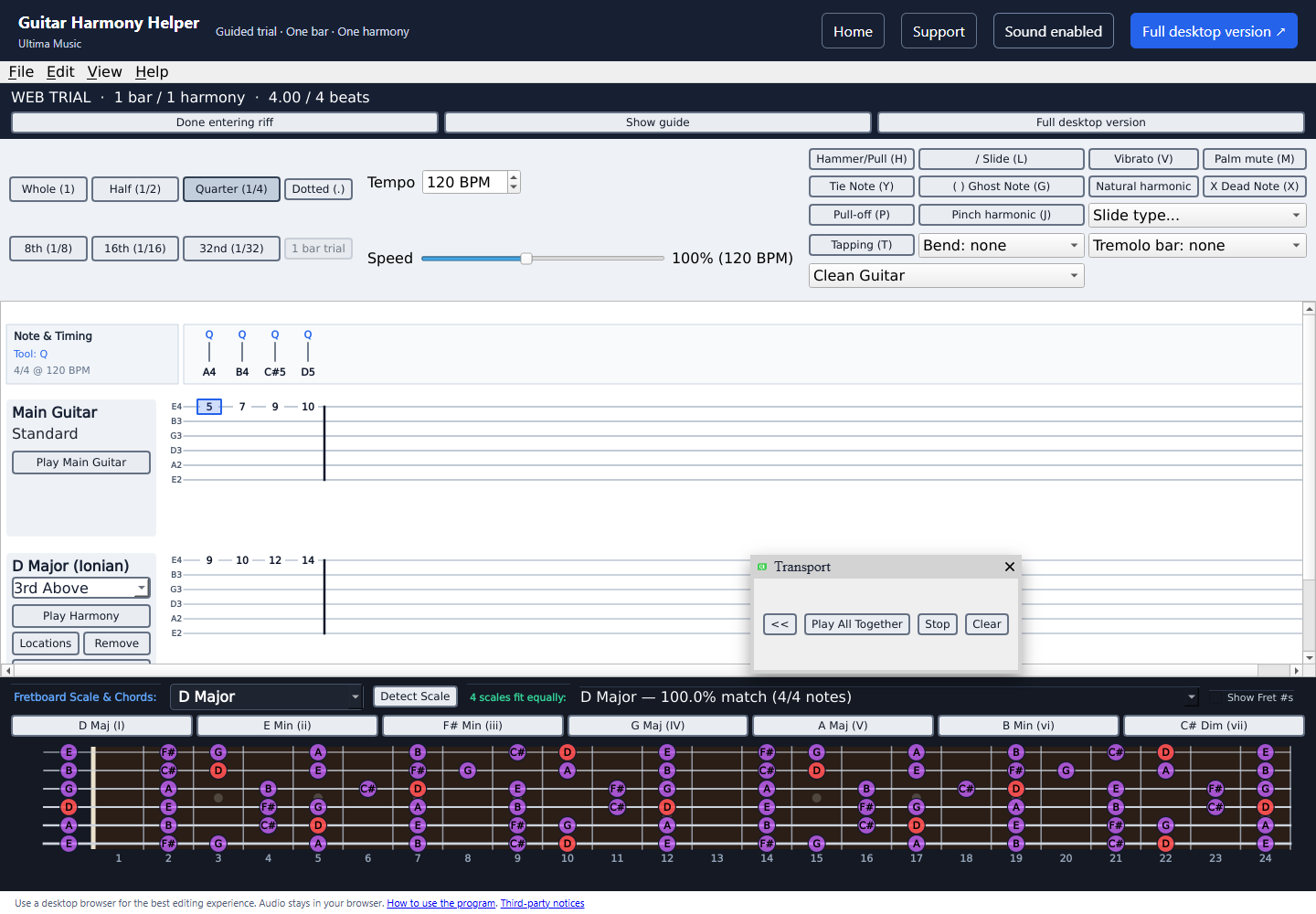
Enter fret numbers, choose note lengths, and use techniques such as hammer-ons, pull-offs, slides, and vibrato. Measure barlines appear automatically.
Write it. Harmonize it. Hear it.
Write guitar tab, find scales that fit your riff, and generate harmony parts for solos and songs.
Free in your browser. No installation or account required.
Best on a desktop or laptop.
See it in action
Follow the creator’s walkthrough, then try writing a riff and exploring a harmony of your own.
The free browser demo includes one bar and one harmony. The Windows application includes longer projects, multiple harmonies, and project saving.
Features
Enter a guitar lick, explore its scale, and try a harmony alongside it.
Enter fret numbers, choose note lengths, and use techniques such as hammer-ons, pull-offs, slides, and vibrato. Measure barlines appear automatically.
Add a harmony above your lead. Explore different fretboard locations, then play the lead and harmony separately or together.
Compare ranked scale matches and matching-note percentages. See scale and chord notes highlighted on the fretboard.
Try now
The guided demo starts with an empty bar. Enter a short riff, find scales that fit, add a harmony, then try different fretboard locations.
Need help? Follow the demo walkthrough →
The browser uses SoundFont playback. Project opening and saving are included in the desktop version.
Open the demo, click “Start my riff”, and use “Enable sound” if needed.
Click a tab note and type a fret number. Use the arrow keys to move and the timing buttons to change its length.
Press Space to play or stop. Use Play Harmony to hear the second part on its own.
Choose your next step
| Feature | Free browser demo | Windows desktop |
|---|---|---|
| Project length | 1 bar in 4/4 | No demo measure limit |
| Harmony parts | 1 harmony | Multiple harmonies |
| Scale detection and fretboard | Included | Included |
| Open and save projects | Unavailable | Included |
| Guitar playback | SoundFont preview | FMOD sampled guitar engine |
Customer stories
“I've been waiting for something like this for a long time. I can write songs in half the time.”
“Writing down a lick and listening back makes it easier to keep working on an arrangement.”
Make your first part
Enter a melody, choose a scale and interval, then compare your lead and harmony together.
Try a four-note example and learn what scale-match percentages can tell you.
Desktop version
Keep longer projects, add more harmony parts, and return to saved work with the Windows desktop application.
Buy Guitar Harmony Helper for Windows for $25 USD, a one-time purchase.
Try the free browser demo →One person, up to two computers. Permanent version 1 use, including free version 1 updates. Your installer and license are available after payment; your license is also emailed to you.
Contact & help
Follow the step-by-step support guide, check the common questions, or email us for help.
customerservice@guitarharmonyhelper.comContact email coming soon.
Click Enable sound at the top of the demo, then click Play All Together. Check that your browser tab and computer are not muted. See the support page for more help.
The browser demo does not open or save project files. The Windows desktop application includes project saving.
A short riff can fit more than one scale. The percentage shows how many entered notes belong to a scale, rather than certainty about the key.
The desktop application is for buyers. After payment, download your Windows installer and license from the checkout confirmation page. Your license is also delivered by email.